Torque Pro is a popular Android diagnostic app that delivers real-time engine data, fault codes, and performance insights. To get the most from Torque Pro, you need a reliable OBD2 Bluetooth adapter that pairs quickly, streams data smoothly, and works across apps and vehicles. This guide highlights five top adapters that are well-regarded for Torque Pro, focusing on speed, reliability, app compatibility, and ease of use. Whether you’re a weekend DIYer or a daily driver, these options help you diagnose, monitor, and tune your vehicle with confidence.
| Product | Brand | Key Benefit |
|---|---|---|
| OBDLink MX+ OBD2 Bluetooth Scanner | OBDLink | Fast data, Torque-friendly, cross-platform |
| Vgate iCar Pro BLE OBD2 Adapter | Vgate | BLE, energy-saving, broad app support including Torque |
| OBDLink LX Bluetooth OBD2 Adapter | OBDLink | Android compatible, Windows software, Torque-capable |
| BLCKTEC 410 Bluetooth OBD2 Scanner | BLCKTEC | Hassle-free setup, broad coverage |
| NEXAS NexLINK Bluetooth OBD2 Scanner | NEXAS | Live data, resets, broad vehicle coverage |
OBDLink MX+ OBD2 Bluetooth Scanner

OBDLink MX+ transforms a smartphone or Windows PC into a professional-grade diagnostic tool with fast Bluetooth connectivity. It is widely compatible with Torque Pro and other popular apps, enabling real-time sensor readings, fault-code reading and clearing, freeze-frame data, and OEM support for many US makes. The MX+ emphasizes security and stability while remaining easy to pair and use, even on the go. Its cross‑platform nature makes it a strong choice for Android users who also work with Windows software and mobile apps.
- Cross‑platform compatibility: Android, iOS (via apps), and Windows
- Torque Pro and other third‑party app support
- Live data, code reading/clearing, and freeze-frame data
Quick Start
Plug in the MX+ and pair with your Android device or Windows PC. Open Torque Pro, select the MX+ as the input device, and begin a live data session. If you encounter pairing issues, verify that you are using a compatible app version and check that any battery-saver settings allow the device to remain active during use.
Vgate iCar Pro BLE OBD2 Adapter

The Vgate iCar Pro BLE4.0 offers energy-efficient operation with auto-sleep and a safe, low-power profile. It uses Bluetooth Low Energy 4.0 and supports reading and clearing engine codes, viewing real-time sensor data, and I/M readiness checks. It’s designed for 12V petrol vehicles (and certain light diesel vehicles within specified limits) and is compatible with Torque Pro and FORScan. This makes it a practical choice for Android users seeking a lightweight, cost-conscious adapter with broad app support.
- Energy-saving with auto-sleep and low current draw
- BLE4.0 provides stable, low-power connections
- Torque Pro and FORScan compatibility
Quick Start
Install the iCar Pro BLE in the vehicle’s OBD-II port, enable Bluetooth on your Android device, and pair through Torque Pro or FORScan. Start a live data session to monitor engine parameters. If the device doesn’t wake up automatically, ensure your app is updated and that the ignition is on during setup.
OBDLink LX Bluetooth 3.0 OBD2 Adapter

OBDLink LX delivers a fast, reliable diagnostic experience primarily for Android devices and Windows PCs. It is easy to install and wirelessly stays plugged in without draining the car battery. The LX comes with the OBDWiz software for Windows and supports Android apps like Torque Pro and DashCommand. While not designed for iOS, its Android-first approach, combined with strong data throughput and a robust software bundle, makes it a solid Torque Pro option for Android enthusiasts who also use Windows-based diagnostics.
- High-speed scan tool for Android and Windows
- Easy installation with secure wireless operation
- Android apps like Torque Pro and DashCommand supported
Quick Start
Connect LX to the OBD-II port, install the OBDWiz software on Windows, then pair with your Android device to run Torque Pro. Start a live data session and verify that real-time sensor readings and diagnostic trouble codes appear promptly.
BLCKTEC 410 Bluetooth OBD2 Scanner
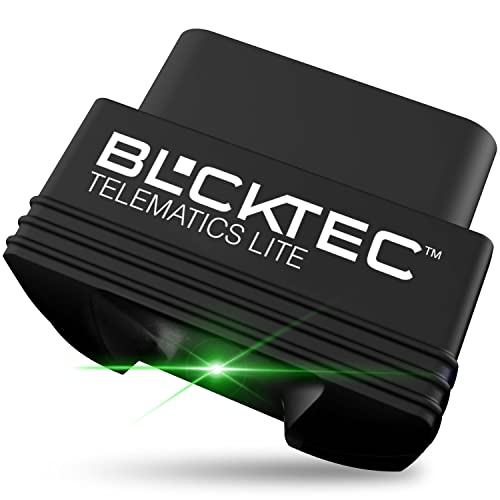
BLCKTEC 410 emphasizes a hassle-free setup and broad OBD-II coverage across 1996+ vehicles. It pairs with iOS and Android via a dedicated app, enabling reading and resetting of check engine codes and access to diagnostic data. The device is positioned as a practical option for DIYers who want a straightforward experience with reliable data, supporting Torque Pro use through Android apps while delivering dependable diagnostics and easy-to-understand results.
- Hassle-free setup and broad vehicle support
- Read and reset check engine codes
- Works with iOS and Android OBD apps
Quick Start
Plug in the BLCKTEC 410, install the companion app on your Android device, and launch Torque Pro. Initiate a live data session to confirm that engine data streams accurately and that any existing fault codes can be read and cleared.
NEXAS NexLINK Bluetooth OBD2 Scanner

NEXAS NexLINK emphasizes extensive compatibility and robust data, including live data, fault codes, freeze frame data, and performance tests. It’s designed as a versatile 2-in-1 scanner for cars and motorcycles (Android-only support for certain features via Motoscan). It supports a broad range of US vehicles since 1996 and works with iOS and Android. For Torque Pro users, NexLINK provides reliable data streams, real-time monitoring, and the flexibility to monitor multiple vehicle types with a single adapter.
- Broad vehicle coverage; 1996+
- Live data, fault codes, freeze-frame data
- 2-in-1 scanner for car and motorcycle (Android apps)
Quick Start
Plug NexLINK into the OBD-II port, connect via Bluetooth with your Android device, and start Torque Pro. Choose NexLINK as the data source, then run a live data session to review engine metrics and fault codes in real time.
Buying Guide
Key Considerations When Choosing an OBD2 Bluetooth Adapter for Torque Pro
When selecting an adapter for Torque Pro, several factors matter more than price alone. Start with compatibility: ensure the adapter supports Torque Pro and other preferred apps (FORScan, BimmerCode, DashCommand, OBD Fusion, etc.). Bluetooth technology (BLE vs classic BT) affects pairing reliability and power usage, especially if you plan to leave the device connected for extended periods. Vehicle compatibility matters too; most OBD-II adapters work with 1996+ US-market vehicles, but some models restrict wake-up, sleep modes, or data features.
- Torque Pro readiness: Confirm the adapter explicitly lists Torque as a supported app to avoid feature gaps.
- Bluetooth version and power draw: BLE4.0 tends to be more power-efficient and stable for long sessions.
- Platform reach: Android users may also want Windows software, while iOS compatibility varies by app ecosystem.
- Data depth: Real-time data streams, fault codes, freeze frames, and I/M readiness enhance diagnostic usefulness.
- Ease of setup and reliability: Quick pairing, clear instructions, and stable connections reduce frustration.
- Firmware updates and support: Ongoing updates from manufacturers extend compatibility with newer vehicle models and apps.
- Two-in-one or multi-vehicle support: Some adapters cover motorcycles or multiple vehicle types, increasing versatility.
How To Compare Adapters At a Glance
| Aspect | What It Means For Torque Pro |
|---|---|
| Torque Pro readiness | Adapter explicitly supports Torque Pro in its feature list |
| Platform flexibility | Android compatibility with Torque Pro plus Windows app support |
| Bluetooth version | BLE4.0 generally offers better power management and stable pairing |
| Vehicle coverage | Wide model-year support (1996+ US vehicles is common) |
| Ease of use | Plug-and-play setup, clear app integration, minimal configuration |
In practice, the top performers for Torque Pro typically advertise explicit compatibility with Torque Pro, offer reliable live data streaming, and provide strong cross-platform support (Android and Windows). Choosing between them often comes down to how many additional apps you plan to use (FORScan or BimmerCode, for example), whether you want a dedicated Android device, or whether you also need motorcycle and multi-vehicle support. Budget, expected usage—daily driver versus occasional diagnostics—and personal preference for brand ecosystem all influence the final decision.